Threshold Rules
(1) Define Rule
-
Source: Leave default index patterns as-is or select the specific data source(s) that the query will be ran againstto make the rule more efficient. -
Custom query: Leave the default*:*query, or input a query that will filter for the specific logs that you want to alert on. -
Group by: Select fields to group by - fields are joined together with a logicalAND -
Count: Select a field to check cardinality againsttipThis example would alert if a specific
user.namehad at least 5 differentsource.ip/destination.ippairs (such as network logons) within the scheduled time period.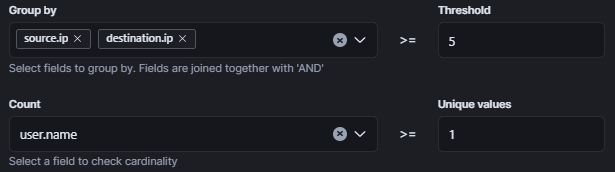
-
Optional - To test the rule logic, you can use the Rule Preview feature on the top of the page.
-
Optional -
Timeline Template: Adding a timeline template will create an alert timeline with its search fields dynamically populated with fields from the alert. This is only effective if the timeline template's fields match the fields that will be present in the alerting log. -
Continue to the Rule Finalization section to complete the rule